Installing TinyFFR
If you already know how to use NuGet all you need to do is install Egodystonic.TinyFFR from the standard Nuget package source.
TinyFFR is currently provided as a .NET9 NuGet package targeting 64-bit desktop platforms (Windows, MacOS on Apple Silicon, Linux on Debian-based systems).
Alternatively: If you're new to .NET/C# and/or NuGet, follow one of guides below depending on your preferred environment:
Commandline#
To install TinyFFR via commandline, use the .NET CLI. In your project's root directory, run the following command:
Visual Studio Code#
TinyFFR can be installed via the command palette in VS Code, assuming you have the C# Dev Kit installed. Follow the official instructions on installing a NuGet package, and in step (3) search for Egodystonic.TinyFFR. Use the latest version of the package available.
Visual Studio#
With Visual Studio, the easiest way to add TinyFFR is via the NuGet package manager.
- Right-click on the project you wish to add TinyFFR to and select "Manage NuGet Packages":
- In the package browser, make sure your package source is set to "Nuget" (or "All"):
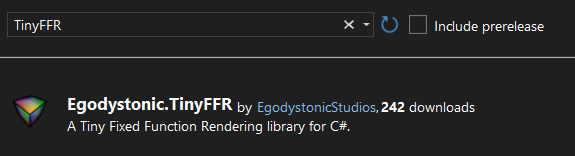
- In the search box, type "TinyFFR", and you should see the TinyFFR package show up. The official name of the package is "Egodystonic.TinyFFR" by
EgodystonicStudios: - Select the package from the list and then on the right
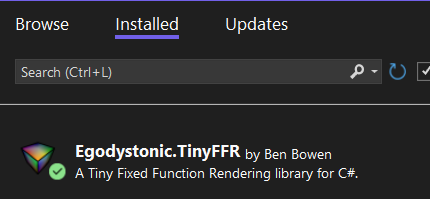
Installthe latest stable version: - You should now see TinyFFR in the
Installedtab:



For more assistance using NuGet in Visual Studio, consult the official documentation.
Editing the .csproj File Manually#
To add the TinyFFR package manually by editing the .csproj file, simply add a <PackageReference> to Egodystonic.TinyFFR:
<ItemGroup>
  <PackageReference Include="Egodystonic.TinyFFR" Version="M.m.p" /> <!-- (1)! -->
</ItemGroup>
- Replace "
M.m.p" with the actual version number of the package you'd like to install. See the Changelog for the latest version.
Other Environments#
For other environments follow the instructions provided by the environment author for working with NuGet packages and add Egodystonic.TinyFFR from the official Nuget source.
Help is always available on the discussions tab on TinyFFR's Github page.